
Shortcodes
This section will show in detail how each Shortcode works and explains how the information is passed through to the end user.
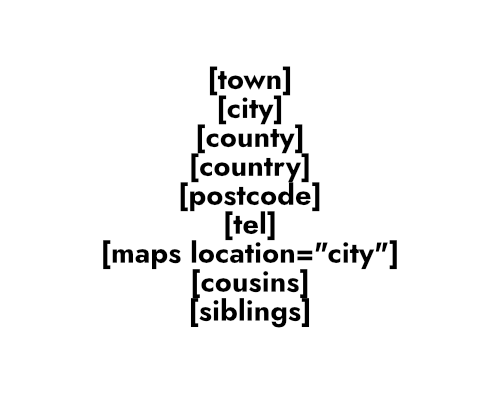
Location Based Shortcodes
These shortcodes can be used anywhere throughout your website by simply wrapping them in brackets [].
Try to be as creative as you can when writing your content on a template file as this will be a deciding factor in your Local SEO rankings.
[*town”] – Outputs the Town variable
[*city”] – Outputs the City variable
[*county] – Outputs the County / State variable
[*country] – Outputs the Country variable
[*postcode] – Outputs the Postcode / Zipcode variable
For an idea of how the shortcodes work, here’s an example:
Example Usage (Remove *): If you live in [*city] and are looking for an expert Dog Groomer covering the [*postcode] postcode or Dog Walkers that cover [*county] – look no further than Demo Dog Groomers and call [*tel] today!
Example Usage (Actual Output): If you live in Southampton and are looking for an expert Dog Groomer covering the SO16 6 postcode or Dog Walkers that cover Hampshire – look no further than Demo Dog Groomers and call 0800 000 0000 today!
Dynamic Service Shortcodes
We are currently in the process of expanding on these shortcodes so make sure to come back and revise the latest shortcodes.
These Dynamic Service Shortcodes are a fantastic way to attribute values for services that can appear throughout the website.
[*child_front_end] – This outputs the Landing Pages front_end value. E.g: Our [child_front_end] In Southampton
The following Service Shortcodes are perfect for highlighting a service to the end user throughout your website. They can be used in the headers and footers, alongside template pages and are great for highlighting a key service the user is looking for.
[*service1] – Outputs the service1 variable
[*service2] – Outputs the service2 variable
[*service3] – Outputs the service3 variable
The service variables can be anything your landing page or website offers, so, for example: A plumber might have a landing page called “Blocked Pipes” and have the following:
service1: Drain Unblocking | service2: Drain Inspections | service3: 24/7 Callouts
This could then be used (for example) in the header widgets that display your telephone number as:
[*service2] In [*city]
[*tel]
Which would appear like this:
Affordable Headlight Restoration In Southampton
0800 000 0000
Maps Shortcode
The Maps shortcode can be used to display specific locations, depending on what you set.
There are a few options you can do for now including:
[*maps location=”town”] – Displays a map of the town
[*maps location=”city”] – Displays a map of the city
[*maps location=”county”] – Displays a map of the county / state
[*maps location=”country”] – Displays a map of the country
[*maps location=”postcode”] – Displays a map of the postcode / zipcode
As an example, here’s a Maps shortcode that’s targeting the Country:
Areas Covered
The Areas Covered shortcode is so simple to use. It displays (in random order) a list of landing pages for each County / State that that allows users and search engine crawlers to navigate to other landing pages.
[*areas_covered] – To see an example of this shortcode, head over to the Areas Covered page.
Template Shortcodes
The following shortcodes can be used directly within a template file that is assigned to a Landing Page. They are designed to aide the end user in finding locations and services for local to them. It’s also designed to help crawler bots pick up more of your content without spamming Google Search Console or other similar services. It allows for a more natural progression throughout your website.
[*postal_relations]: This shortcode displays links to other landing pages with similar postcode prefixes, connecting users to nearby services. This is particularly useful for businesses operating in densely populated areas.
[*sibling_list]: This shortcode displays a list of sibling pages, which are other Landing Pages under the same Area Page. This allows users to easily see other services offered in the same city. For example, if your client is a locksmith but they also have landing pages for mobile locksmith services, door entry systems or even a landing page for key replacements, these will all appear (and link to) their siblings within the same City.
[*cousin_list]: This shortcode lists cousin pages, which are landing pages for the same service in different areas. Users can use this to find the same services offered in different locations. The shortcode can be further customised with a “filter” attribute to refine the results by county or postcode. For example, [*cousin_list filter=”county”] would show cousin pages within the same county.